

An API key with no callback registered still sends messages perfectly well — it reports
nothing back. If messages are arriving but your system never hears about them, an unregistered
callback is the first thing to check.
Add a callback
1
Open the Config section
In the left pane, click Config, then select the Callback Configuration tab.
2
Start a new callback
Click + Add New Callback to open the Create Callback dialog.
3
Set the basic configuration
4
Set the request configuration
5
Set the throughput limit
Enter a TPS value to cap how many callback requests per second OneXtel sends you. Set
it to what your endpoint can absorb; a limit that is too high will cause dropped callbacks
if your endpoint cannot keep up.
6
Add headers, if required
Enter a header Key and Value, then click + to add it. Use Delete to remove
a header, or Reset to clear the form.Some integrations require a specific header — see Headers.
7
Create
Click Create. The callback appears in the Callback Configuration list with its title,
channel, method, URL, parameters, headers, TPS, and status.
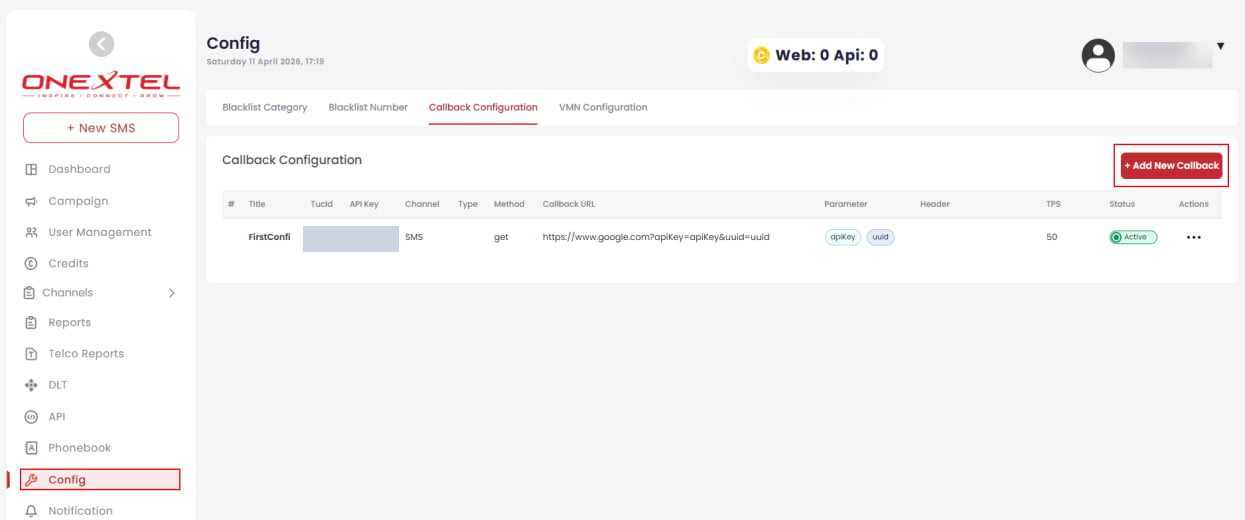
Callback Configuration list
Choosing default parameters
Only the parameters you select are sent. Pick the ones your system actually needs — a smaller payload is faster to process and easier to parse — but include enough to correlate the callback with the original message. At minimum, select the message identifier so callbacks can be matched to sends. Thecustref1–custref5 custom reference fields are echoed back exactly as you set them on the
original send, which makes them the simplest way to carry your own campaign or order IDs
through to the callback.
For the parameters available per channel, see:
Headers
Headers are how a callback carries authentication or routing information the receiving system requires. Two common cases:- Authentication. If your endpoint expects a token or API key, add it as a header rather than putting it in the URL.
- Onward routing. Some connectors need the destination URL passed so they can forward the
callback to a third-party platform. The MoEngage plugin, for example, takes
it in a header named
callbackon RCS and SMS. Its WhatsApp inbound callback is the exception: there the URL goes on the Callback URL itself as acallback_urlquery parameter, not a header.